

Technicians run the route, log what they applied, photograph the work, and take payment from their phone. The service record saves on the device and syncs itself when signal comes back.
No credit card required · Set up in minutes · Cancel anytime
Free 30-minute walkthrough · Pick a time that works


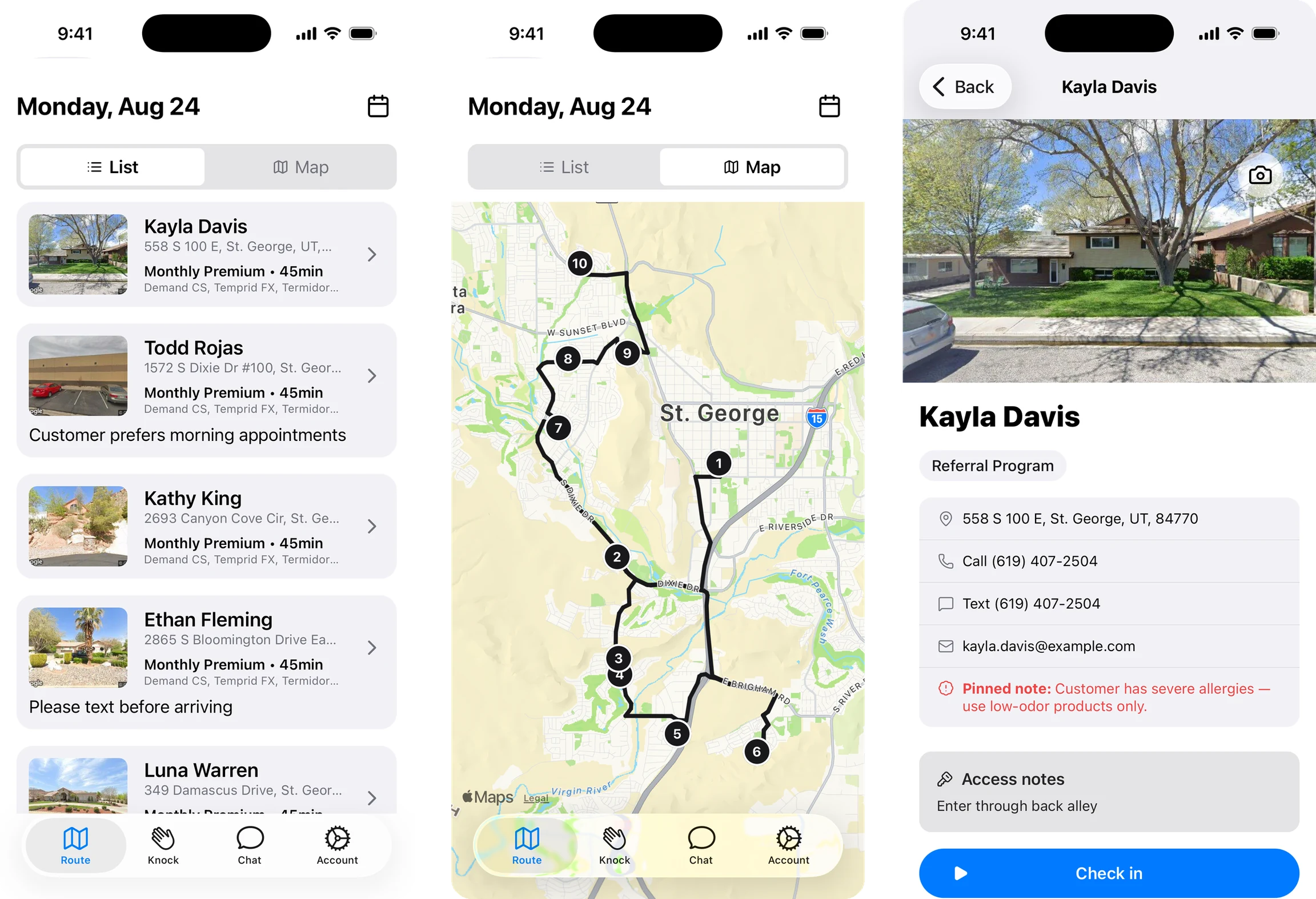
This is the part most field apps get wrong. BlazeRoutes doesn't just tolerate a dropped signal — it assumes one. Service work goes into a queue stored on the device, and a saved service form survives the app being closed and reopened days later. When the connection comes back, the queue replays on its own. Nobody re-enters a morning's work because a crawlspace had no bars.
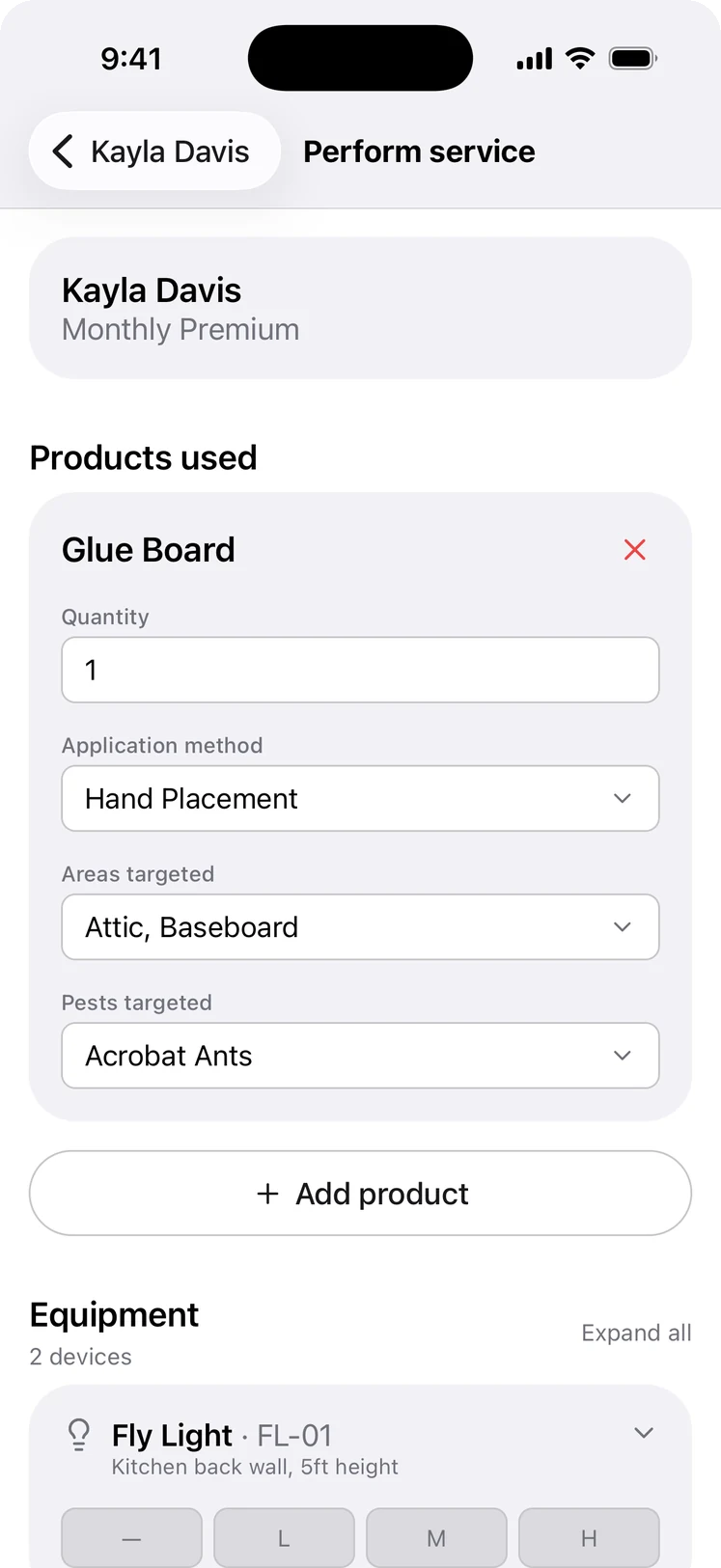
Log what was actually applied without leaving the stop: the product, the quantity, the application method, and the areas and pests targeted — alongside the equipment on site and its activity level. It's the record your state wants to see, captured at the property instead of reconstructed from memory on Friday afternoon.
Every BlazeRoutes feature is included at every size — there are no tiers and nothing to upgrade to. See pricing →
Service work keeps going. Completing a stop, logging products, photos, notes, and time all go into a queue held on the device and replay automatically once signal returns, and saved forms survive the app being closed — even for days. Cash and check payments can be recorded offline too; card payments are the exception and need a connection.
Products applied, quantity, application method, area covered, areas and pests targeted, dilution ratio and water volume, equipment inspections, photos, weather conditions, and notes — recorded at the stop.
Yes. When a customer has an outstanding balance, the stop shows a button to collect it. The technician either runs the card through the Stripe payment sheet on their phone, or records a payment they were handed — cash, check, or a card type — against the balance. They can also save a card on file for future service. Card payments need a live connection; cash and checks can be recorded offline.
As the technician closes out a stop they can send the customer a service summary and the invoice, and let the next customer — or every stop coming up in the next few hours — know they're on the way, all from the same screen, without calling the office.
Service history, balances, documents, and conversations all live on the customer record. Whoever picks up the phone has the whole picture in front of them.
Learn more →BlazeRoutes sequences each technician's stops into the shortest driving order, shows you the before and after side by side, and changes nothing until you say so.
Learn more →Drag work onto a technician's day and watch the route redraw. Service plans keep track of who's due next, so the work comes to you instead of living in someone's head.
Learn more →Invoices, payments, credits, and refunds live on one ledger per customer — with cards on file and a portal your customers can pay from without calling you.
Learn more →On-the-way texts, receipts, and schedule changes go out on their own, and reminders and late notices go to a whole list in a few clicks — from templates you write once, in your own voice.
Learn more →Ask a plain question about a customer, a route, or a balance and get the answer from your own records. It also sends the morning numbers and each technician's route briefing on its own.
Learn more →Follow cash and checks from the technician's hand to the bank, and end each day with a short list of anything that wasn't finished, wasn't billed, or was declined.
Learn more →Reps knock from a map of every address in your area and sign customers up at the door. The office draws territories, works the follow-ups, and sees which reps and areas are selling.
Learn more →Start your free trial today — no credit card required.
Book a free 30-minute demo — we'll show you around.