

Reps knock from a map of every address in your area and sign customers up at the door. The office draws territories, works the follow-ups, and sees which reps and areas are selling.
No credit card required · Set up in minutes · Cancel anytime
Free 30-minute walkthrough · Pick a time that works


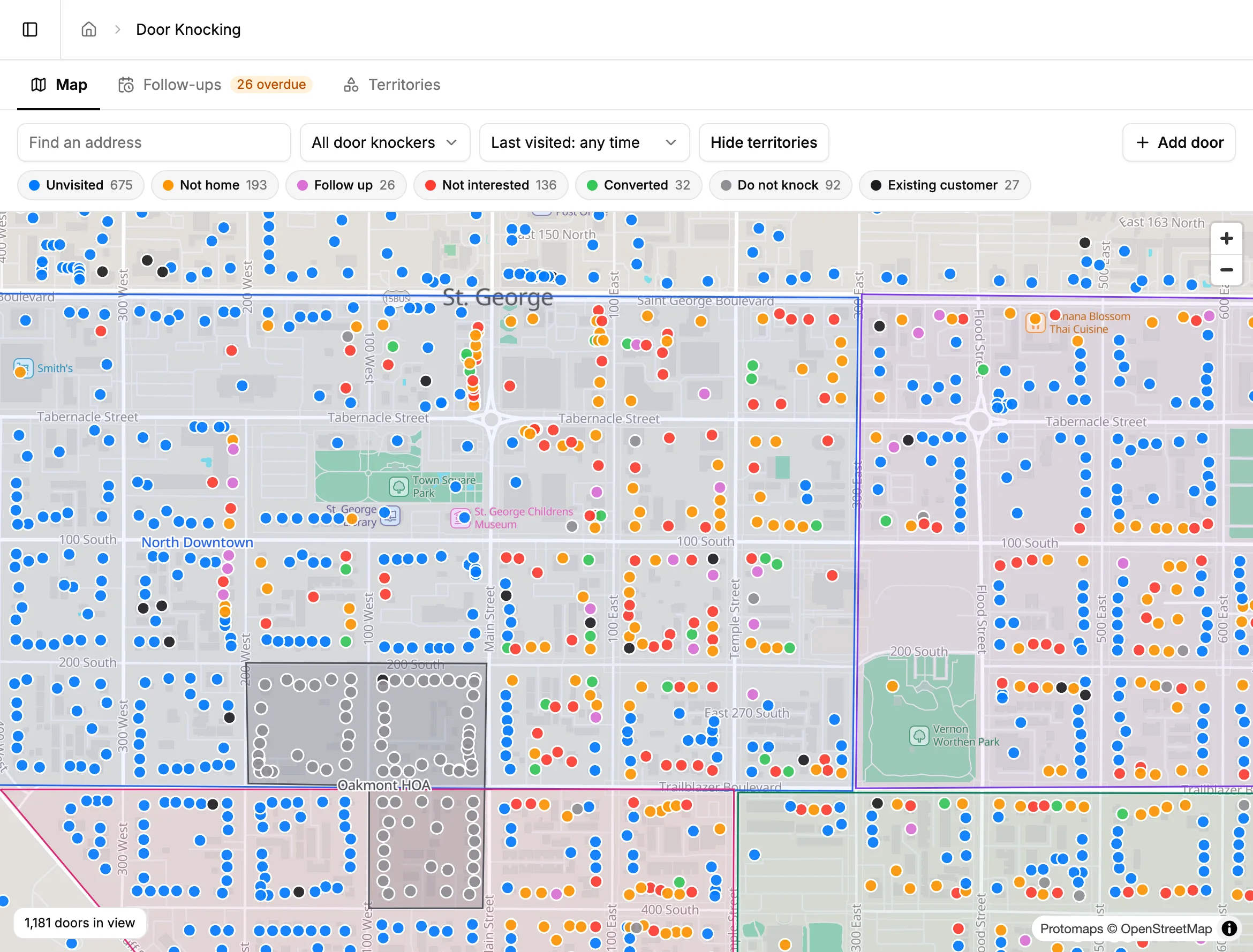
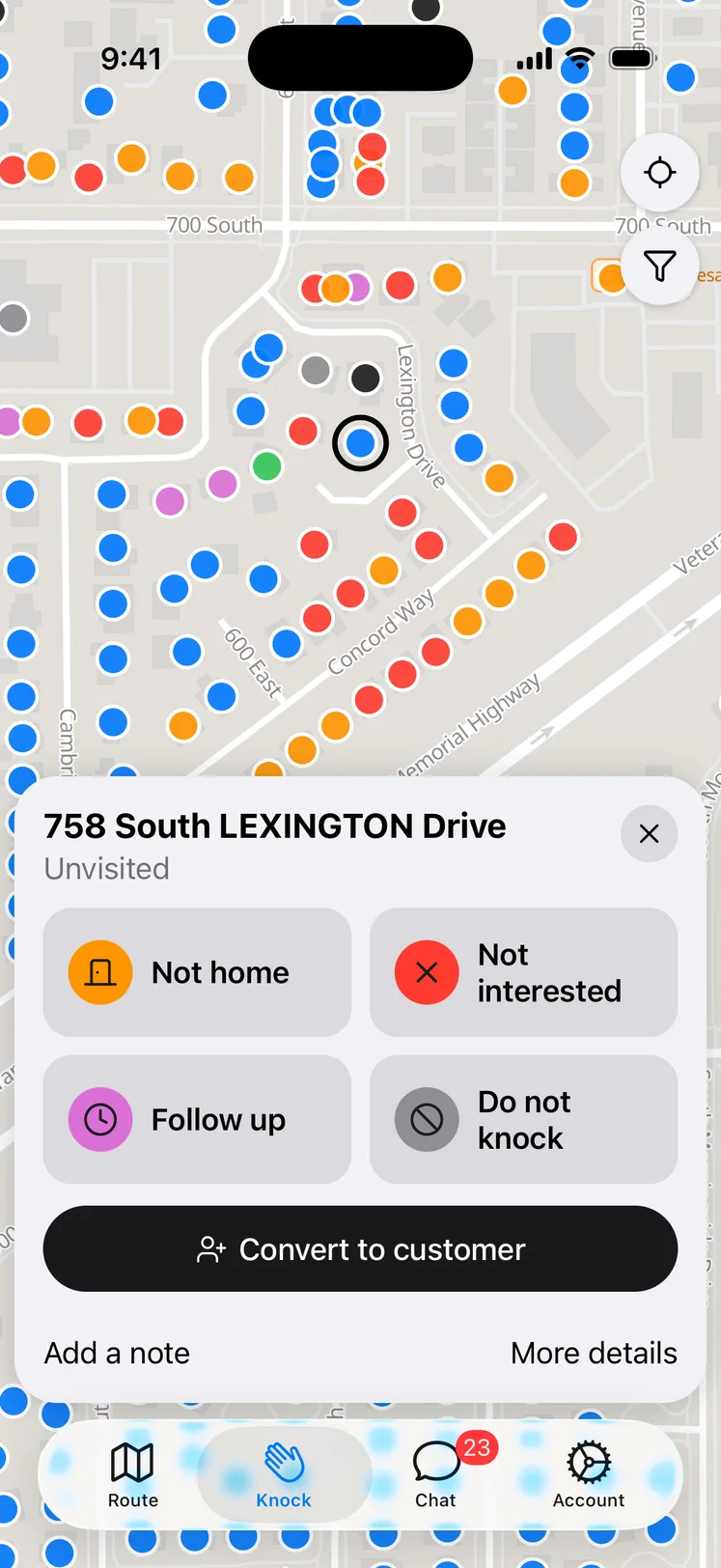
Reps open the Knock tab to a map of every address in your service area, with existing customers marked. Tapping a door opens a sheet over the map — not home, not interested, follow up, or do not knock in one tap, with Undo if they hit the wrong one. The map points to the next door and keeps a running count of the day's doors, conversations, and sales.
When someone says yes, the sale takes three steps: the customer and their plan, a card on file, and a preferred first service date and time. The customer, plan, and sale save at the first step, so a dropped signal at the payment screen can't lose it. The rep finishes by sending the welcome and service agreement by email or text, and the office schedules from there.
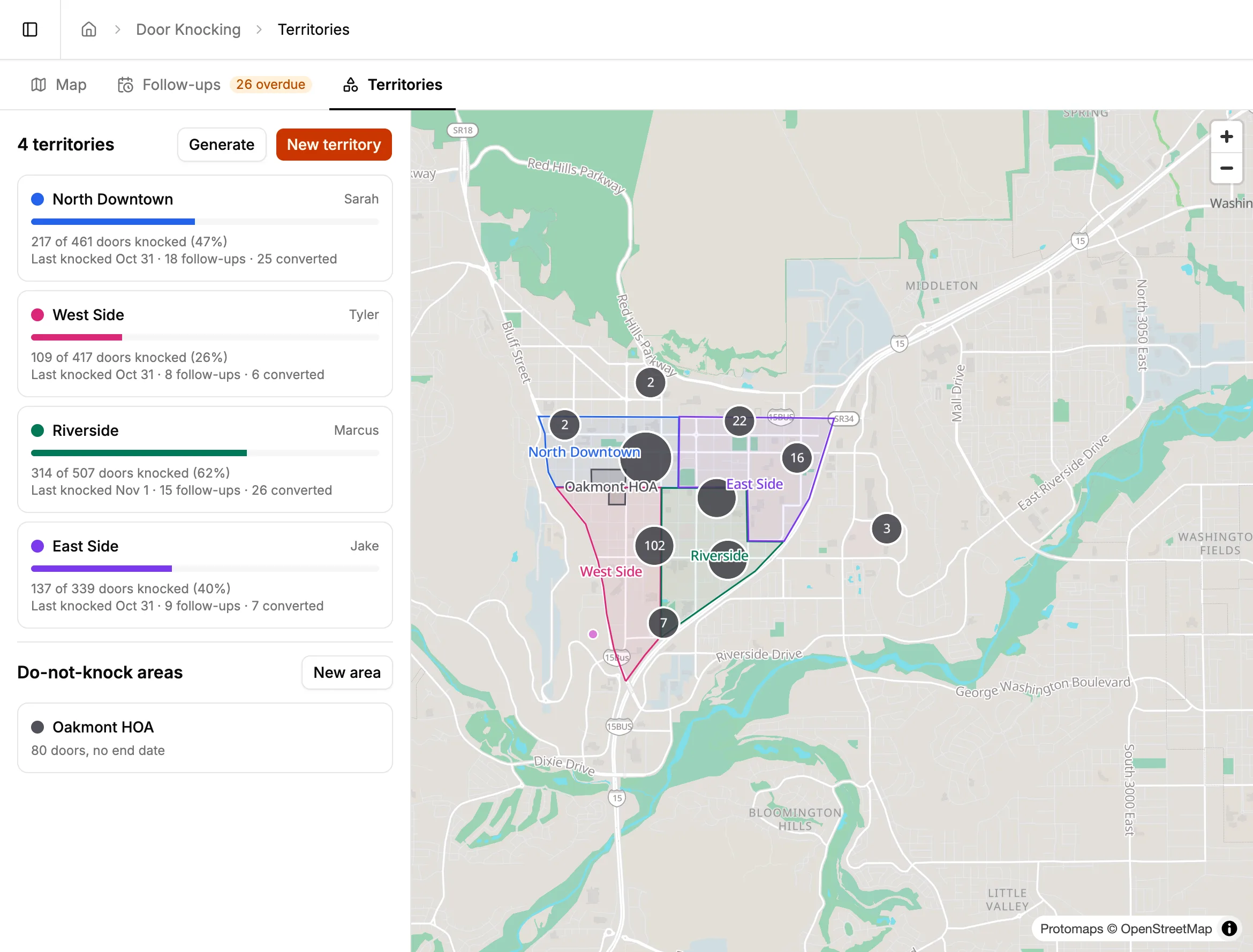
Draw a territory for each rep, or have BlazeRoutes split an area into territories with about the same number of doors. Each territory shows how much has been knocked, its follow-ups, and its sales. Follow-ups get a due date and an owner — a rep or the office — and reps get a reminder the morning they're due.
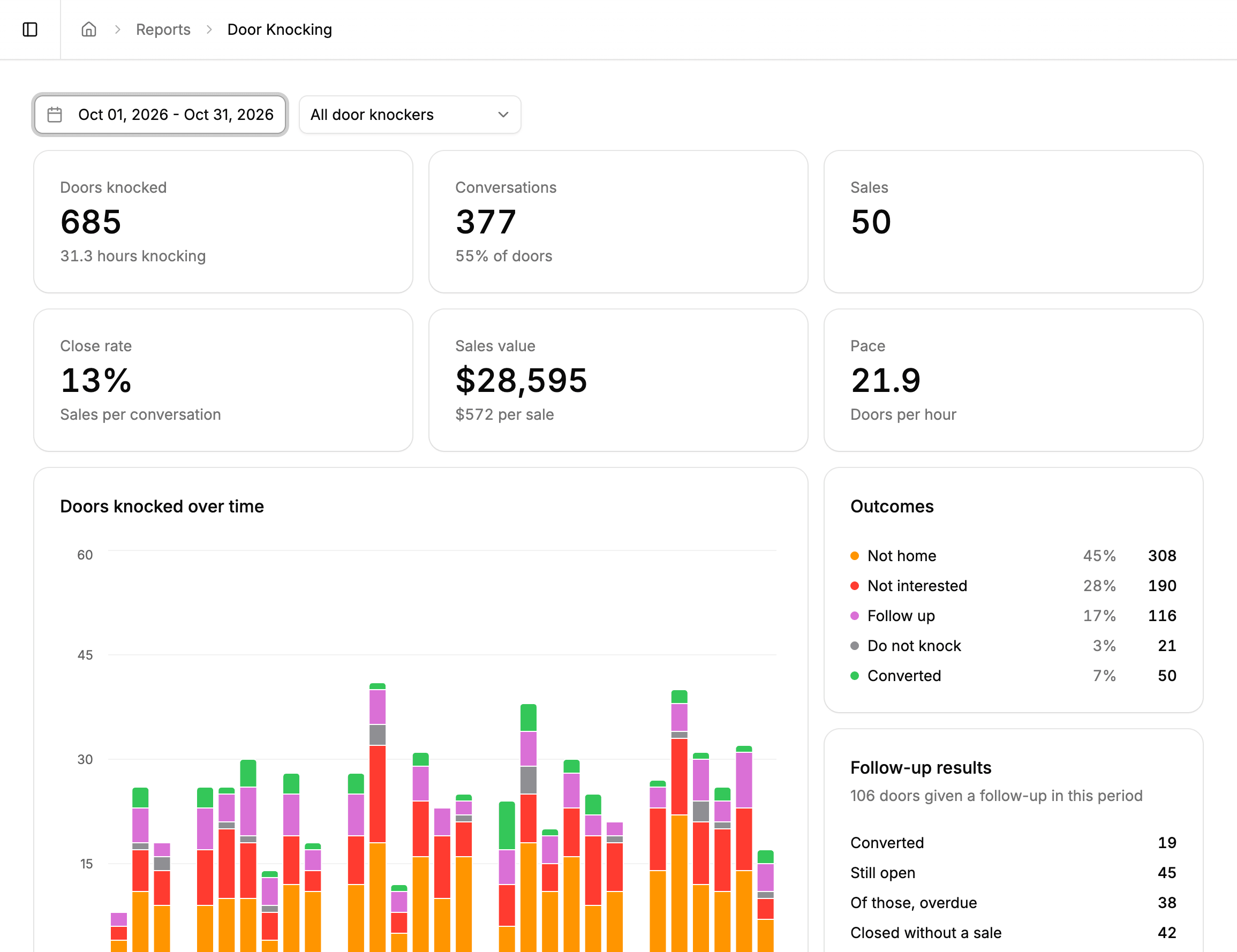
The Door Knocking report puts doors knocked, conversations, sales, close rate, sales value, and doors per hour at the top, then compares reps and territories side by side. Follow-up results show what became of every callback. The coverage map shows every visit by outcome, and picking a rep and a day draws their route from first knock to last, breaks included.
Every BlazeRoutes feature is included at every size — there are no tiers and nothing to upgrade to. See pricing →
BlazeRoutes generates the address list for your service area from open map data. An admin sets it up once in Settings, and every door appears on the map in the web app and the mobile app.
No. The app records a rep's location only while they have the Knock tab open, so the route on the report is their time knocking doors, not their whole day.
They see a warning, but they aren't blocked, in case a resident invited them. Doors outside a rep's territory warn the same way.
No. Door knocking is part of the one BlazeRoutes plan. Reps use the same mobile app as your technicians.
Service history, balances, documents, and conversations all live on the customer record. Whoever picks up the phone has the whole picture in front of them.
Learn more →BlazeRoutes sequences each technician's stops into the shortest driving order, shows you the before and after side by side, and changes nothing until you say so.
Learn more →Drag work onto a technician's day and watch the route redraw. Service plans keep track of who's due next, so the work comes to you instead of living in someone's head.
Learn more →Invoices, payments, credits, and refunds live on one ledger per customer — with cards on file and a portal your customers can pay from without calling you.
Learn more →On-the-way texts, receipts, and schedule changes go out on their own, and reminders and late notices go to a whole list in a few clicks — from templates you write once, in your own voice.
Learn more →Technicians run the route, log what they applied, photograph the work, and take payment from their phone. The service record saves on the device and syncs itself when signal comes back.
Learn more →Ask a plain question about a customer, a route, or a balance and get the answer from your own records. It also sends the morning numbers and each technician's route briefing on its own.
Learn more →Follow cash and checks from the technician's hand to the bank, and end each day with a short list of anything that wasn't finished, wasn't billed, or was declined.
Learn more →Start your free trial today — no credit card required.
Book a free 30-minute demo — we'll show you around.