Ask a plain question about a customer, a route, or a balance and get the answer from your own records. It also sends the morning numbers and each technician's route briefing on its own.
No credit card required · Set up in minutes · Cancel anytime
Free 30-minute walkthrough · Pick a time that works
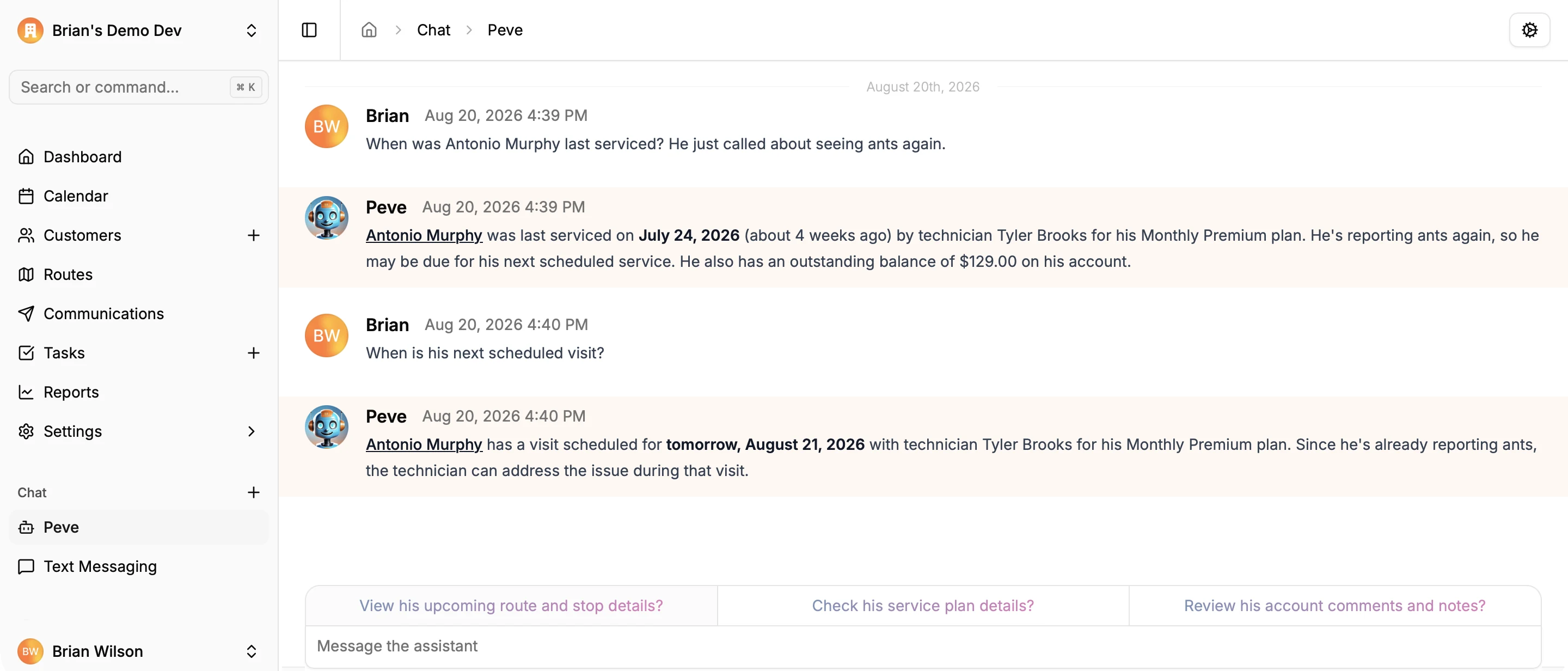
Ask when a customer was last serviced, what they owe, who's on Thursday's route, or how a technician did last week. The assistant looks it up in your own customers, routes, service plans, messages, and billing, and answers with a link to the record. It works from the office on the web and from the field in the mobile app.
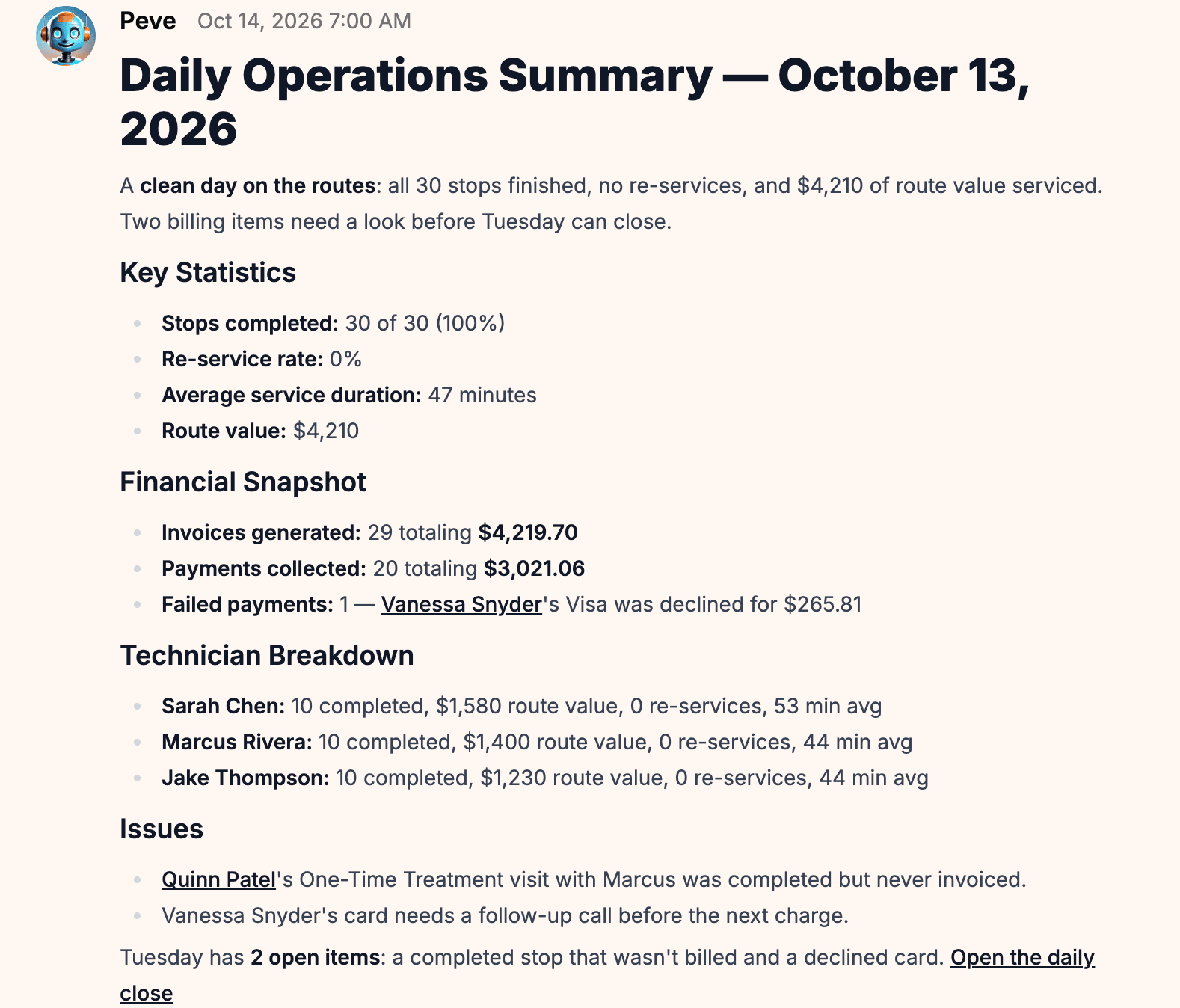
Each morning the assistant posts admins a summary of the day before: stops completed, completion rate, route value, invoices and payments, failed cards, skipped stops with their reasons, and cancellations. Re-services are pinned to the technician whose visit caused the callback, not the one who went back. If the day still has items to close, it says so. Choose when it arrives — the next morning, later the same day, or once every route is finished — and get a weekly summary on the last day of your work week.
Technicians get a briefing of their route before they start: how many stops, the start time, how long the stops will take, the products they'll need across the day, and every access note, pinned note, and office note for each stop. It arrives 40 minutes before the route, the night before, or the morning of — each technician picks.
Every BlazeRoutes feature is included at every size — there are no tiers and nothing to upgrade to. See pricing →
Customers and their comments and files, routes and schedules, service plans and service history, text and email history, invoices, payments, and overdue balances, technician and service plan stats, revenue, and how to do something in BlazeRoutes.
No. The assistant follows the same permissions as the rest of the app. Someone who can't see company revenue or customer balances on screen can't get them from the assistant either. Change a role in Settings and the assistant follows.
No. It reads your records to answer questions and write summaries. It doesn't edit customers, schedules, or billing.
No. It's part of the one BlazeRoutes plan. If you'd rather not use AI, one switch in Settings turns off the assistant, customer summaries, and briefings for the whole organization.
Service history, balances, documents, and conversations all live on the customer record. Whoever picks up the phone has the whole picture in front of them.
Learn more →BlazeRoutes sequences each technician's stops into the shortest driving order, shows you the before and after side by side, and changes nothing until you say so.
Learn more →Drag work onto a technician's day and watch the route redraw. Service plans keep track of who's due next, so the work comes to you instead of living in someone's head.
Learn more →Invoices, payments, credits, and refunds live on one ledger per customer — with cards on file and a portal your customers can pay from without calling you.
Learn more →On-the-way texts, receipts, and schedule changes go out on their own, and reminders and late notices go to a whole list in a few clicks — from templates you write once, in your own voice.
Learn more →Technicians run the route, log what they applied, photograph the work, and take payment from their phone. The service record saves on the device and syncs itself when signal comes back.
Learn more →Follow cash and checks from the technician's hand to the bank, and end each day with a short list of anything that wasn't finished, wasn't billed, or was declined.
Learn more →Reps knock from a map of every address in your area and sign customers up at the door. The office draws territories, works the follow-ups, and sees which reps and areas are selling.
Learn more →Start your free trial today — no credit card required.
Book a free 30-minute demo — we'll show you around.